MusicCast Wireless Surround Sound for Your 5.1 Home Theater
Anyone who’s had a surround sound home theater system knows the challenges of adding rear speakers into the mix. First there’s the issue of where to place them. Then you need to know how to run the speaker wire so it’s out of sight and not a risk for being tripped on — something that’s usually dealt with either by using rugs, drilling into the floor (impossible if they’re marble!) or running wiring up the walls.
Now MusicCast Surround provides a wireless alternative that takes all the stress out of setting up surround sound.

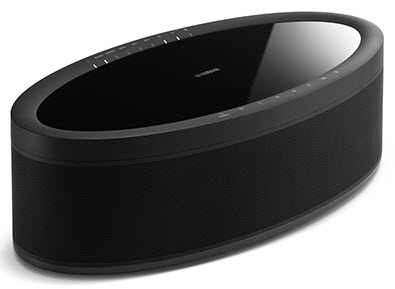
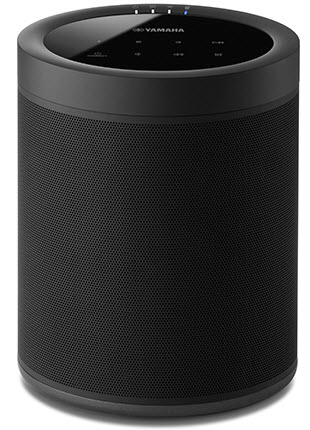
Designed with flexibility in mind, two Yamaha MusicCast 20 wireless speakers (or one or two MusicCast 50 wireless speakers) can be connected to any MusicCast-capable AV receiver and used as rear speakers (surround left and surround right) along with the wired speakers for the front channels (front left, center, front right) to create a full 5.1-channel surround sound system right in your home:
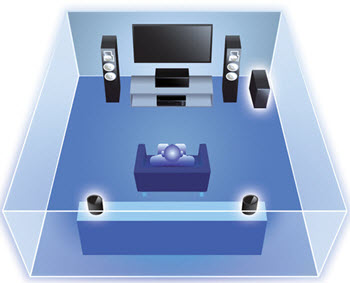
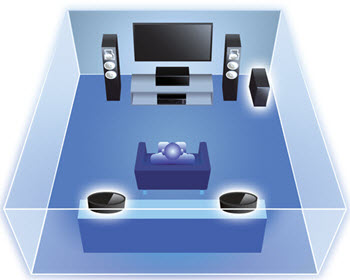
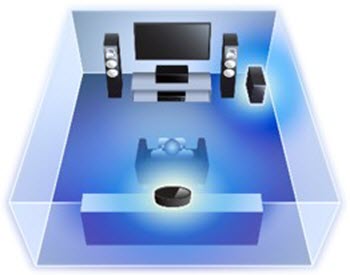
These speakers provide plenty of placement options since they can be placed on speaker stands, in bookshelves, or on tables — they’re even wall-mountable. Even more importantly, they offer a rich, powerful sound that adds a well-rounded audio experience to your home theater. (Just remember that the speakers only work with a 5-channel setup, not 7-channel or more.) The MusicCast 20 and MusicCast 50 can also be used with other MusicCast functions, including stereo and multi-room capabilities for streaming music or other audio content — all you need is a nearby AC outlet for each speaker.
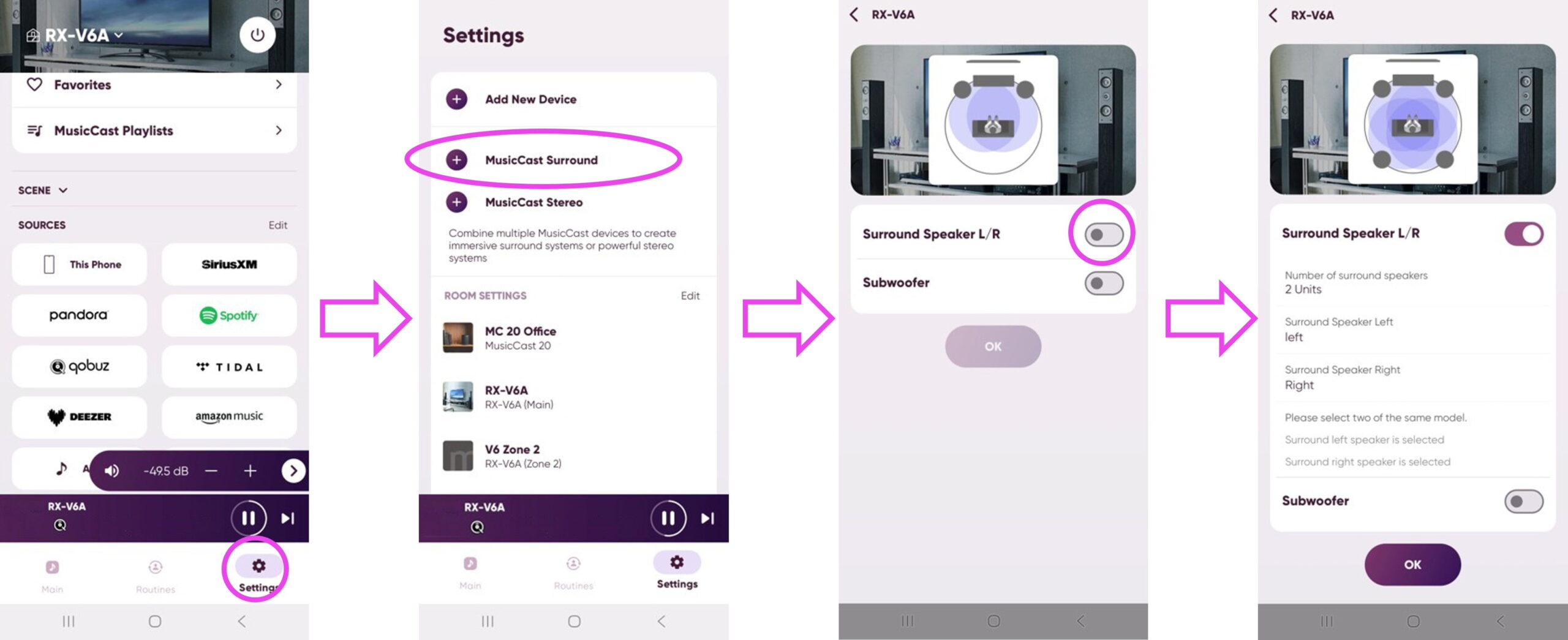
Setup through the MusicCast Controller App:
1. From the play window, press the Settings icon
2. Select MusicCast Surround Setup
3. Follow the on-screen instructions
Your MusicCast speakers are now configured as wireless surround speakers.
So take the stress out of setting up your home theater and start enjoying all the benefits of surround sound!
Click here for more information about Yamaha Home Audio products.
Keep reading