Preparing for Easter Services
Churches are preparing for one of the biggest holidays of the year: Easter. Some will stage large multimedia productions, while others offer intimate services focused on sharing communion. Regardless of size, they all need to plan carefully so their event will proceed smoothly and flawlessly.
Although every church uniquely presents the Easter message, they all invest tremendous time, energy and preparation to ensure their congregation experiences the full meaning and wonder of the occasion. So much work is spent producing Easter and Christmas services because they are the most well-attended gatherings of the year.
As Easter approaches, it may be tempting to wait for the creative teams to submit their requirements. Instead, be proactive and make sure your sound production and tech teams are ready for the big event. The following checklist will help you organize and prepare for the big day.
Don’t put off to tomorrow what can be done today
Avoid unnecessary stress by ensuring that all your media needs are handled beforehand. The last thing you want is to call tech support for a system failure the night before. Plan and execute a thorough run-through of the entire service with the production team, giving yourself time to fix any system issues. Like musicians practice and prepare, your sound specialists must do the same.
Software for Easter Service
If your system(s) relies heavily on software and computers, ensure all software is current. If necessary, create a list that includes version numbers and available updates for:
- Computer operating system (OS)
- Media presentation software
- Lighting software
- Digital mixing console
Verify that your updates will work with the computer OS, Dante®, etc. In some cases, you may need to reload an older version of the computer OS to get a component to work correctly in your system.
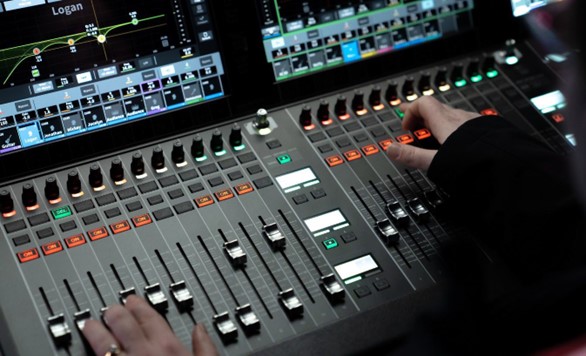
Double-check with manufacturer websites for any updates and downloads. Additionally, check user forums for any real-world issues. Don’t upgrade software on any component unless you have enough time to fix possible issues before rehearsals.
REPLACE UNRELIABLE TECH
If you have equipment or software that’s been creating problems recently, this is an excellent time to replace it. You don’t want faulty tech to detract from such an important service.
Download the Guide

Keep reading