Dialing in Tube Amp Tone with a Digital Rig
Cloning analog icons.
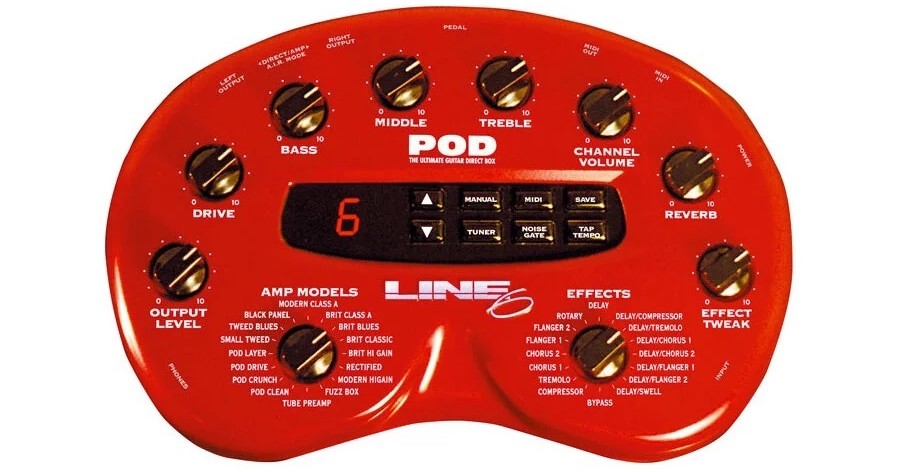
In 1998, Line 6 introduced a revolutionary device called the Pod. This compact amplifier, speaker and effects modeler with a distinctive red color and “kidney bean” shape sat on the desktop of recording studios the world over, and soon became a “plug and play” tonal option to larger rack systems, tube amps and speaker cabinets.
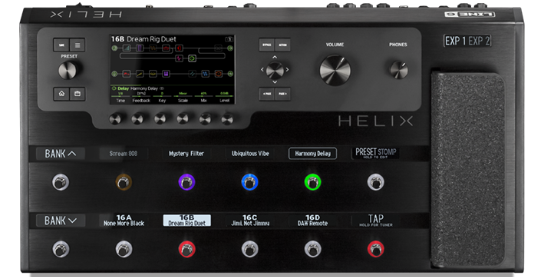
Seventeen years later, the company released Helix, which took amp modeling to the next level by providing extremely convincing digital replicas of classic amps and speaker models, along with a comprehensive list of studio-quality effects. It also provided exhaustive programmability, I/O (input/output) options, effects loops, MIDI control, USB recording and firmware updates that regularly added more models.
I remember listening to A/B shootouts between a Helix guitar patch and a full-blown tube amp, cabinet and effects rig. And while I could hear minute differences between the two signals when listened to in isolation, I defy anyone to be able to tell the difference between the two rigs in a full band recording or onstage performance.
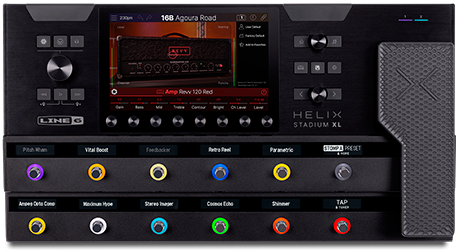
Recently, Line 6 announced the long-awaited release of their latest flagship modeler: Helix Stadium XL. In this posting, we’ll explore the many ways you can use this advanced device to add amazingly realistic tube amp tone to your electric guitar.
Helix Stadium XL Features
Stadium XL offers numerous advanced features, including a touchscreen control panel, Agoura Amp modeling, a Focus View feature and increased DSP (Digital Signal Processing), such as a “Hype” parameter. Let’s look at each in turn.
The Touchscreen
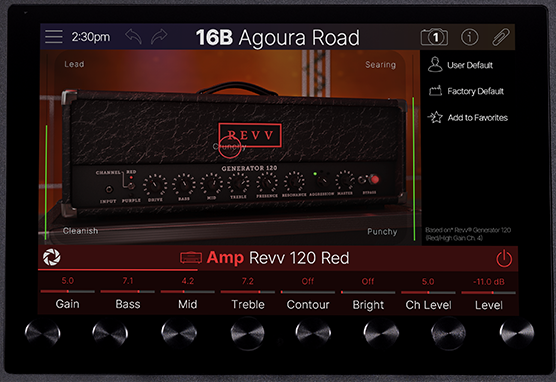
The ergonomic, intuitive and visually inspiring 8″ hi-res touchscreen allows you to create signal chains directly on the screen with your finger rather than scrolling through menus with rotary knobs … although you can still create your signal the “old-fashioned” way if you prefer.
Focus View
Choosing your amps, speakers and effects can also be done via the Focus View feature, which provides a realistic graphic representation of the available amps, speaker cabinets and effects in a scrolling visual menu format.
After selecting an amp, for example, you can use the Focus View feature to create the exact tone you want by sliding the center detent of the screen between each of the tonal variations shown on the four corners of the screen. This allows you to audition tonal nuances in-between any of the four suggested sounds. You’ll notice that the digital readouts above the rotary dials that control each of the amp parameters will also change with your finger locations on the screen. Absolutely amazing for dialing in sounds on the fly!
You can also use the Focus View feature to move your selected microphone models across the axis and proximity of your favorite speaker cones and change multiple parameters in an effects pedal.
Agoura Amp Modeling
The Agoura amp modeling methodology sets a new benchmark for authentic amplifier sound and responsiveness. This is why Helix Stadium is best experienced hands-on, thanks to its exceptional touch responsiveness to your playing style and dynamics … just like a real tube amplifier.
Hype
Stadium XL also adds a new amp control that Line 6 calls “Hype.” In effect, this allows the listener to morph between 0% and 100%. 0% would be an ultra-authentic amp tone, and this can be increased all the way to an extreme version of what that amp would sound like at 100% Hype.
Pair the Hype control with the numerous Focus View touchscreen parameters and you have almost endless tonal variations.
Additional Features
Helix Stadium XL retains all the comprehensive I/O connectivity offered by the original Helix, plus your original user presets can be loaded into Stadium XL via the new editor app. (Legacy speaker cabinets will automatically be upgraded to new, and better-sounding models.) But Stadium XL also provides direct WiFi and Bluetooth® connectivity so you can update the firmware without connecting to a computer. This also allows you to connect it to your mobile devices and use the onboard shuttle controls to activate and control backing tracks.
Although Stadium is called XL, the physical size is actually smaller than Helix, and the overall weight has been reduced dramatically as well.
Amp
So how do you dial in a realistic tube amp tone using a digital modeler? Well, first and foremost, you’ll want your tube amp tones to sound warm, responsive and dynamic, just like the real thing, so it’s best to approach modeler tones as if you were dialing in an analog rig.
A typical signal chain for most guitarists may look like this:
- Guitar
- Pre-effects
- Pre-amp
- Post-effects (this will emulate an all-in-one amplifier head or combo)
- Power amp
- Speaker cabinet
- Microphone (to pick up the sound of the speaker cabinet)
That said, obviously the guitar you choose will have an impact on the tones produced — more on that shortly.
Pre-Effects
I like to use a compressor (usually the studio compressor model) and overdrive (usually the Minotaur model) before the Stadium XL pre-amp. The compressor can be used to smooth out the input dynamics, which I believe enables the signal to hit the amp better. A compressor can also “push” the input gain harder on the amp, altering the gain structure before it even hits the tone-shaping within the pre-amp.
Using an overdrive will also increase the input gain hitting the pre-amp … and of course the gain levels you choose will affect how the pre-amp reacts to the input signal.
I’d suggest judicial use of these pre-amp effects until you have an overall sense of the tone you’re trying to achieve. Perhaps even dial in the amp first, and then add the pre-effects to taste, or try switching them in and out when needed.
Pre-amp
Tube amps use vacuum tubes to amplify the electrical signal from your guitar. These tubes add a touch of natural compression, shape the tone, and, when pushed hard, can produce varying degrees of harmonic distortion … which most of us find incredibly pleasing.
This pre-amplified tone can then be further shaped by the EQ (bass, middle, treble and presence) controls. Don’t be afraid to experiment with these controls, but remember that when you add EQ to cabinet models, the bass response and overall tonality can change drastically.
A couple of additional tone stack considerations: If the sound is muddy, consider reducing the bass and middle before adding treble and presence. Reduce the treble if the sound is harsh and thin-sounding before boosting the bass.
Power Amp
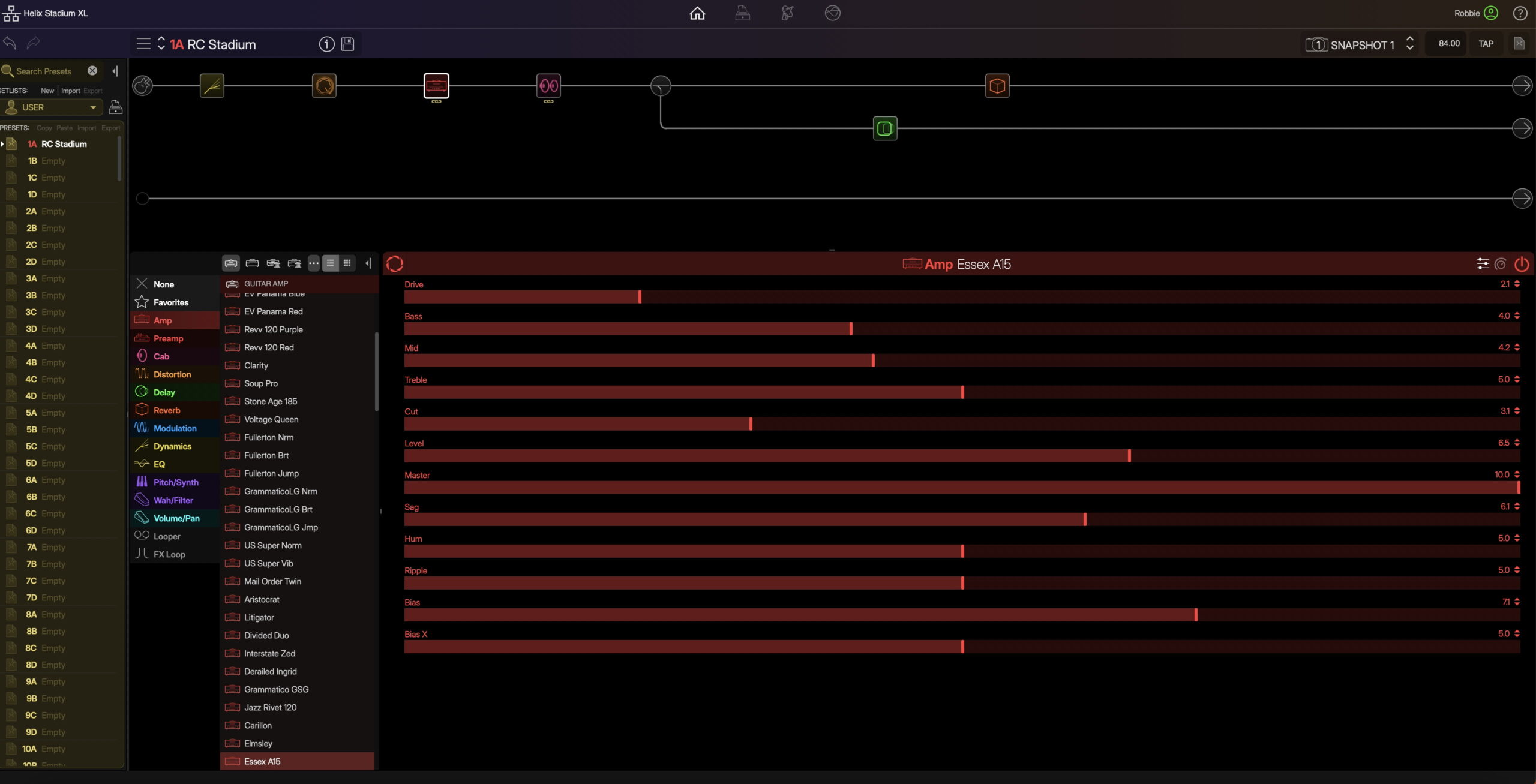
A large part of tube amp tone comes from the type of power tubes a specific amplifier uses. If you have a wide knowledge of amplifiers, you’ll probably know what power amp tubes are used in those products.
If you like the sound of a particular amp model in Helix Stadium XL, research what kind of tubes are used in those physical amplifiers, and learn about their characteristics. In general, I think you’ll find that low-wattage amplifiers will feature EL84, 6V6 and 6L6 power amp tubes; high-wattage amplifiers will favor larger tubes like the EL34, KT66 and 5881. That said, some 50-watt amplifiers utilize EL84, 6L6 and 6V6 power tubes — there will just be more of them.A good approach is to create a full rig in your modeler, and if the amplifier isn’t sitting quite right, save your patch, and then try changing the amp in your signal chain instead of trying to produce a sound that a specific amplifier wasn’t capable of in the real world.
There are also ways of tweaking the overall feel of an amplifier within Helix and Helix Stadium XL. The “Sag” control, for example, can make the amp feel looser or tighter. Think of this as the responsiveness to your playing style. The rectifier tube found in some amps will create this “Sag” feeling.
The two main types of rectifiers in guitar amps are tube rectifiers and solid-state rectifiers. Tube rectifiers use a vacuum tube to convert AC to DC, creating a softer, more compressed sound. Solid-state rectifiers use diodes (semiconductors) for a faster, firmer response with less voltage drop.
Speaker Cabinet Models
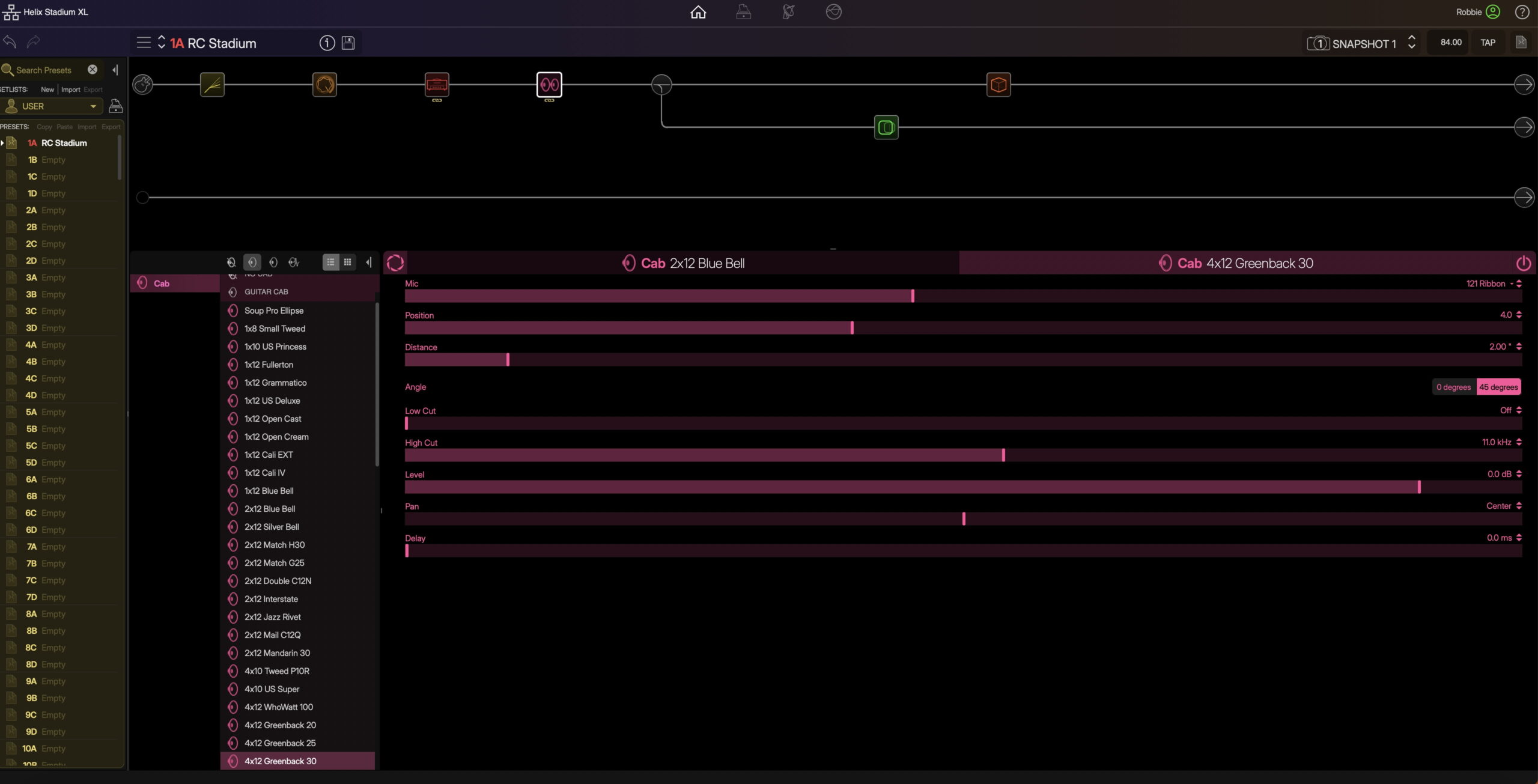
As mentioned previously, the speaker cabinets you choose will impact your tone substantially.
I like to use two speaker cabinet models: a 4 x 12 cabinet (that is, four twelve-inch speakers) and a 2 x 12 (two twelve-inch speakers). The 4 x 12 model will generally produce more bass response, and the 2 x 12 more clarity. Blending the two in a stereo signal chain can sound amazing.
The type of speakers used in each of the cabinet models will also affect the sound. This is where characteristics are hard to put into words, so let your ears be the judge. For example, Line 6 has modeled well-known speaker manufacturers like Celestion, whose blue, silver, green and gold back speakers all have different tonal characteristics. A 2 x 12 cabinet loaded with “bluebacks” will sound different from the same cabinet loaded with greenback speakers.
Microphone Models
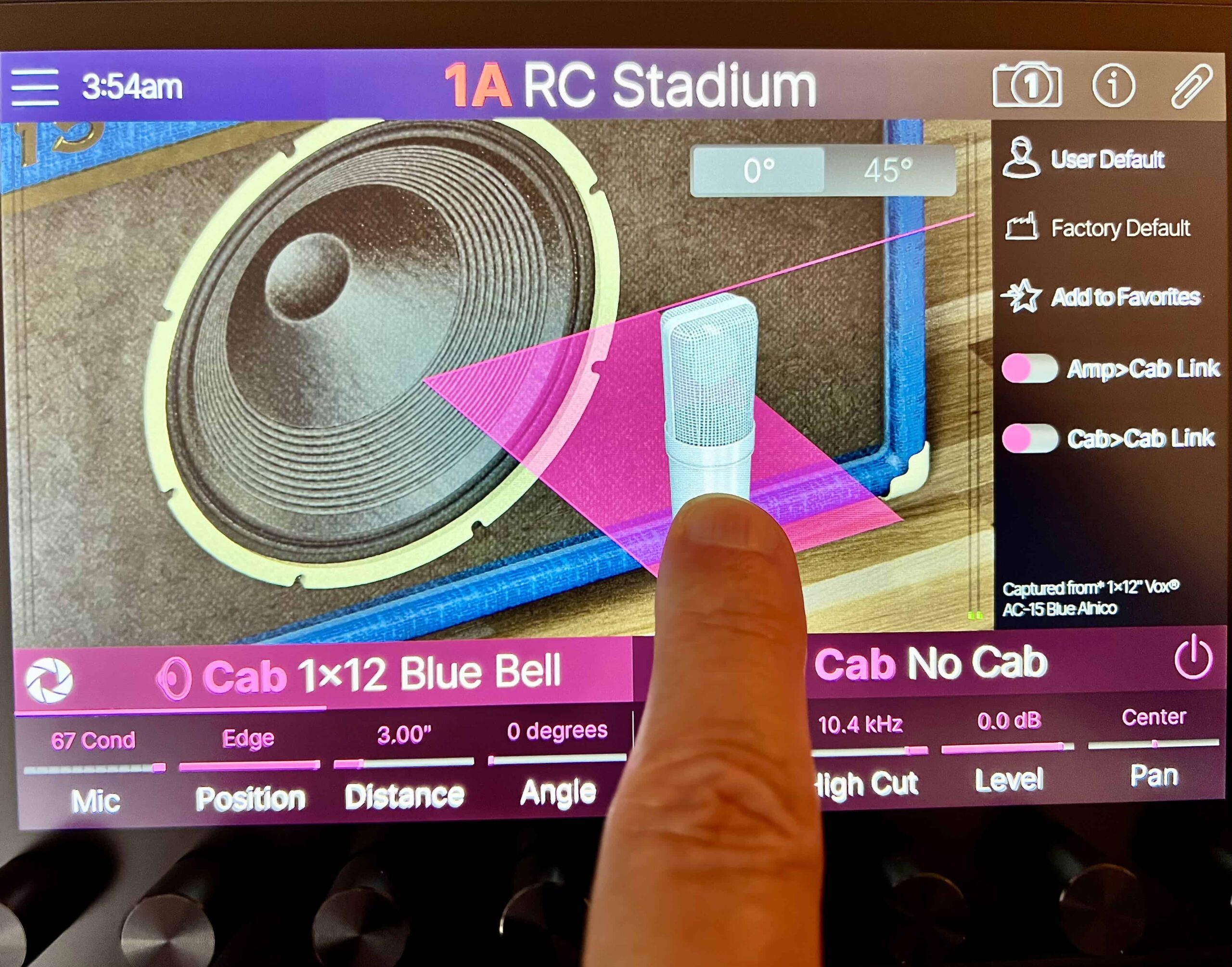
You can also choose which microphones are being used to capture the sound coming from the cabinets. Both Helix and Stadium XL offer a ton of microphone models to choose from. I suggest auditioning them all before making a decision. Common choices include a 121 ribbon microphone and an SM57 condenser mic.
The axis (that is, the placement between the center cone and speaker’s edge) and the proximity (distance from the grill cloth) can be adjusted to find your preferred “sweet spot.” Here, even subtle changes will affect the tones. If you are looking for more bass response, try moving the microphone closer to the grill (at around 1.5 inches) and moving it off axis slightly. If you’d like to capture more of the room sound, move the microphone back from the speaker and add a touch of early reflections (the sound of the speaker in the room).
You can also angle the microphone model(s) for an even softer “capture” of the speaker cone. As you can see in the photo above, the microphone can be placed at an angle of 45 degrees or kept forward-facing.
Don’t underestimate these details. Real tube amps need to be recorded or captured live with the use of microphones, and are therefore an integral part of the overall sound you produce with your own rigs.
Post Effects
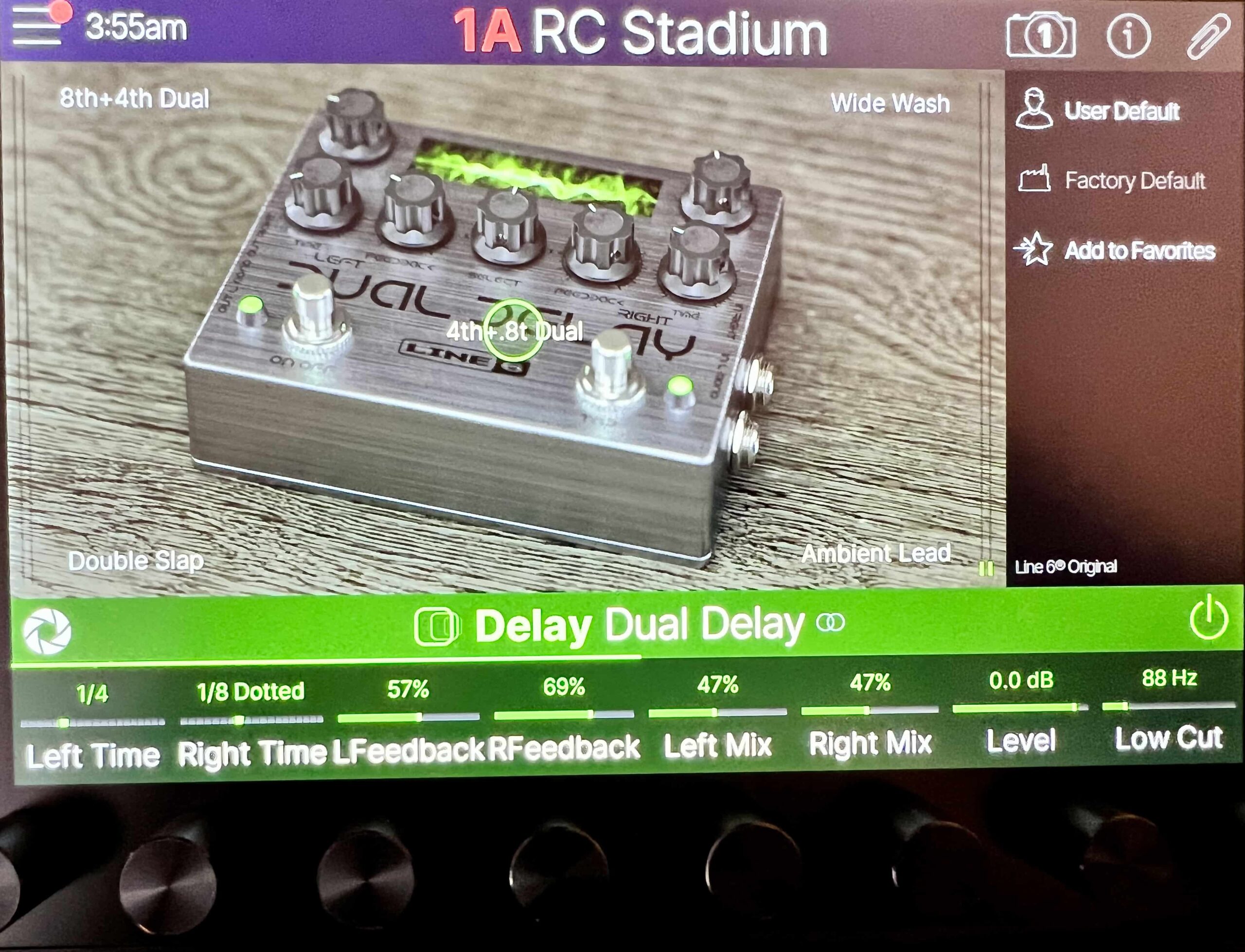
I like to use a dual delay and reverb for my post effects. I run a hall reverb in series after the amp and speaker signal, much the same as would occur in a real amp with an onboard reverb. I keep the reverb mix pretty low … just enough for a touch of ambiance, rather than effect.
I like to run my delays in parallel (i.e., in a separate signal path). I split the signal off after the speakers to bypass the reverb. This allows me to add more delay without the sound getting affected by the reverb ambience.
Big Sounds
A word of caution: While creating a monstrous tube guitar tone in isolation can be very inspiring, remember that these massive patches can often be too overwhelming in a mix, or in the context of a live performance, so try creating realistic patches that sit well in the track or fit in with your band’s instrumentation. This can best be accomplished in Stadium XL by using the Focus View and Hype features.
The Guitars
For this video, I chose to use what I believe to be three of the best Yamaha guitars currently available. They all have unique pickup configurations and body styles that lend themselves perfectly to the blues/rock instrumental piece I’m playing.
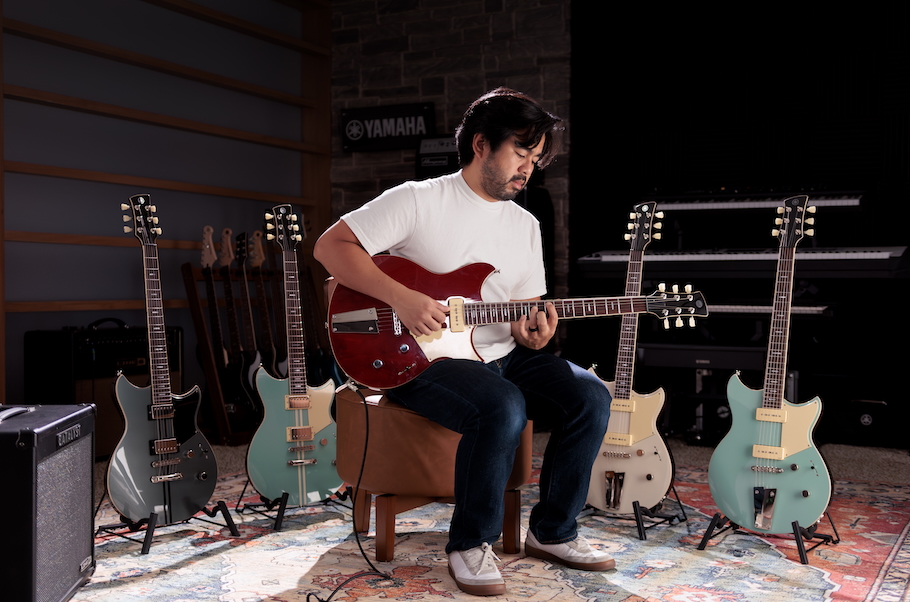
Revstar RSS20
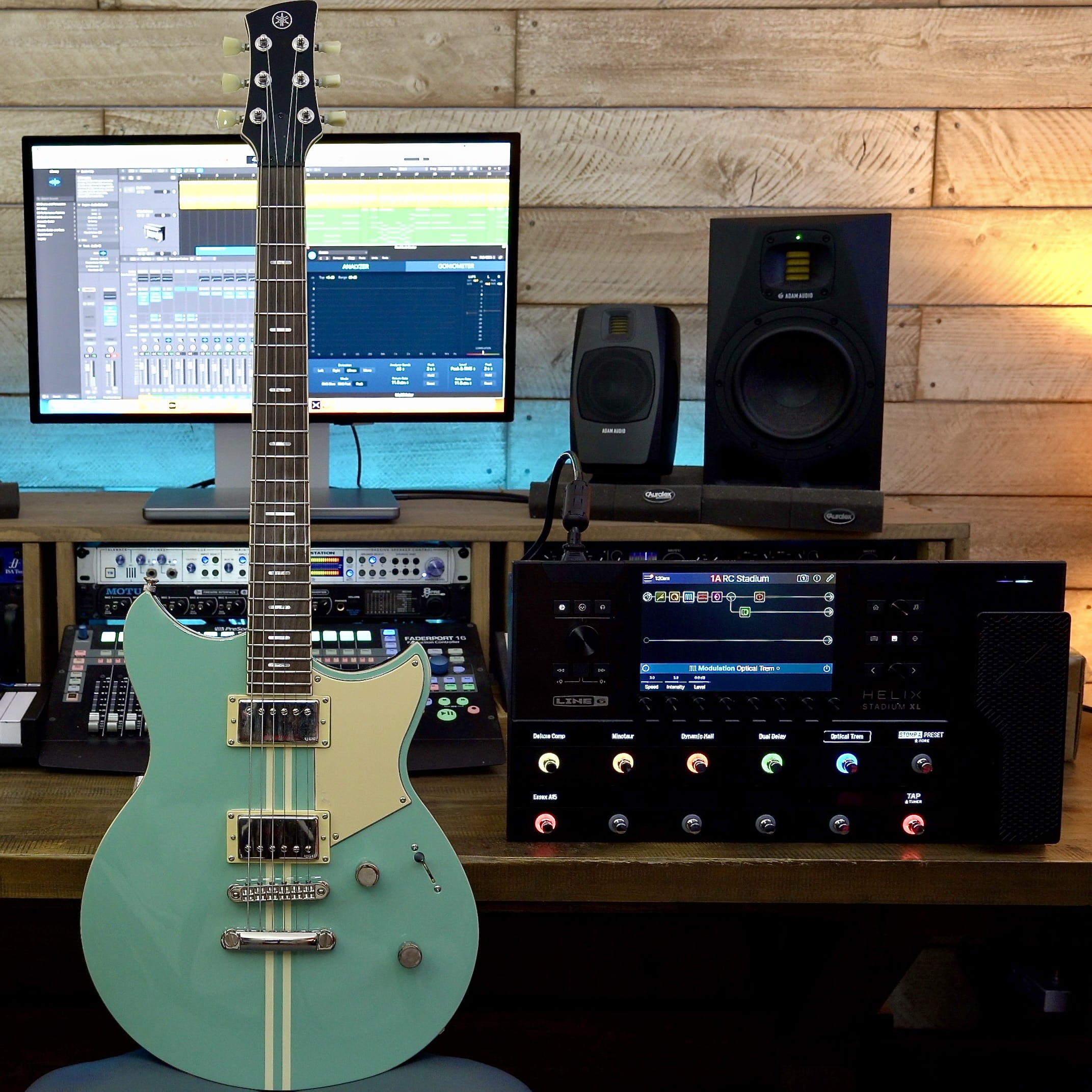
The Revstar RSS20 features a pair of Alnico V humbucking pickups. Its pickup selector switch allows the player to select bridge, neck or both pickups, including those nice “out of phase” sounds you often hear in rhythm guitar parts.
The Revstar sounds great with the tube models in Stadium XL, and by engaging the focus switch (by pulling up on the tone pot) you can push the midrange forward and create a sound similar to that of overwound (more powerful) pickups.
The Pacifica Professional
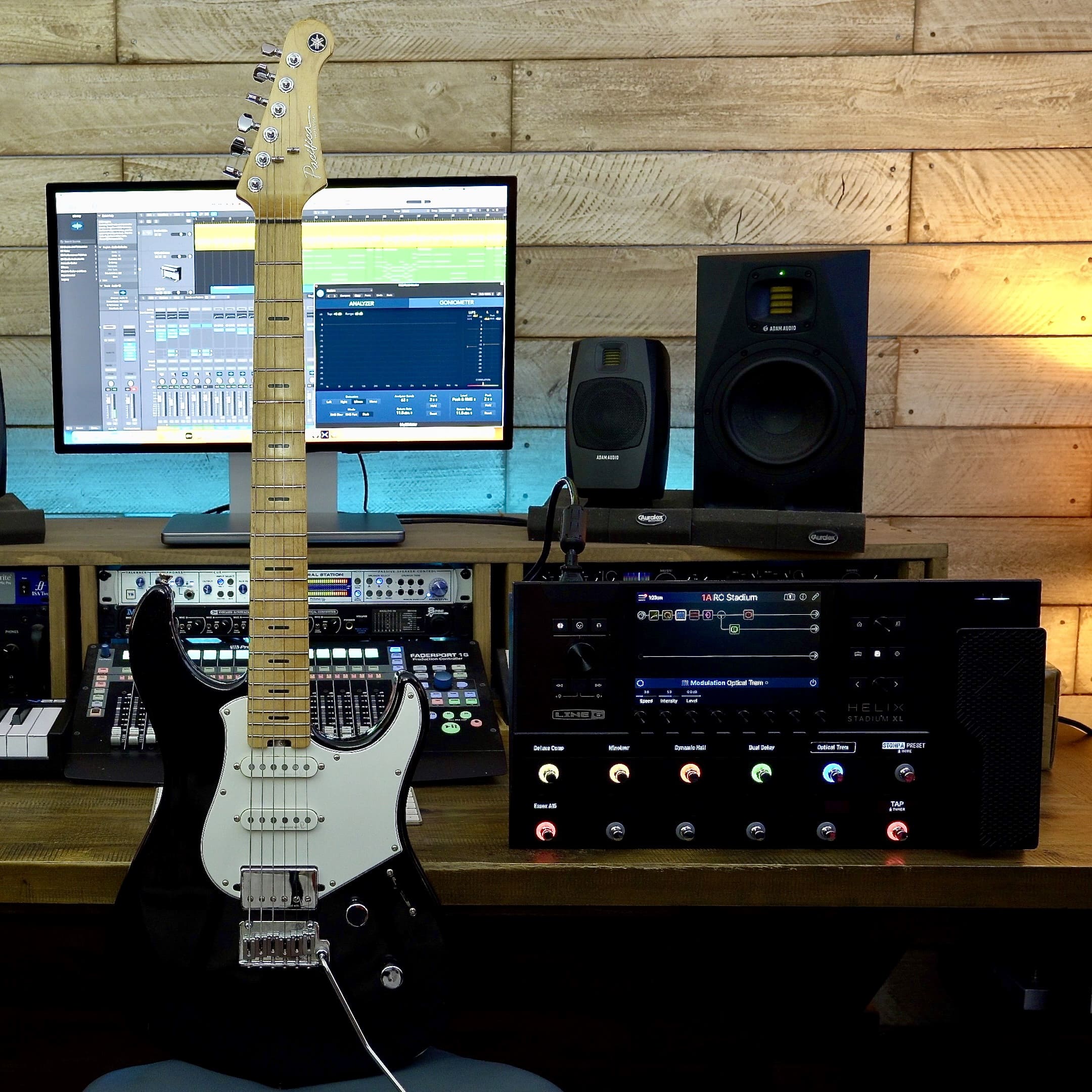
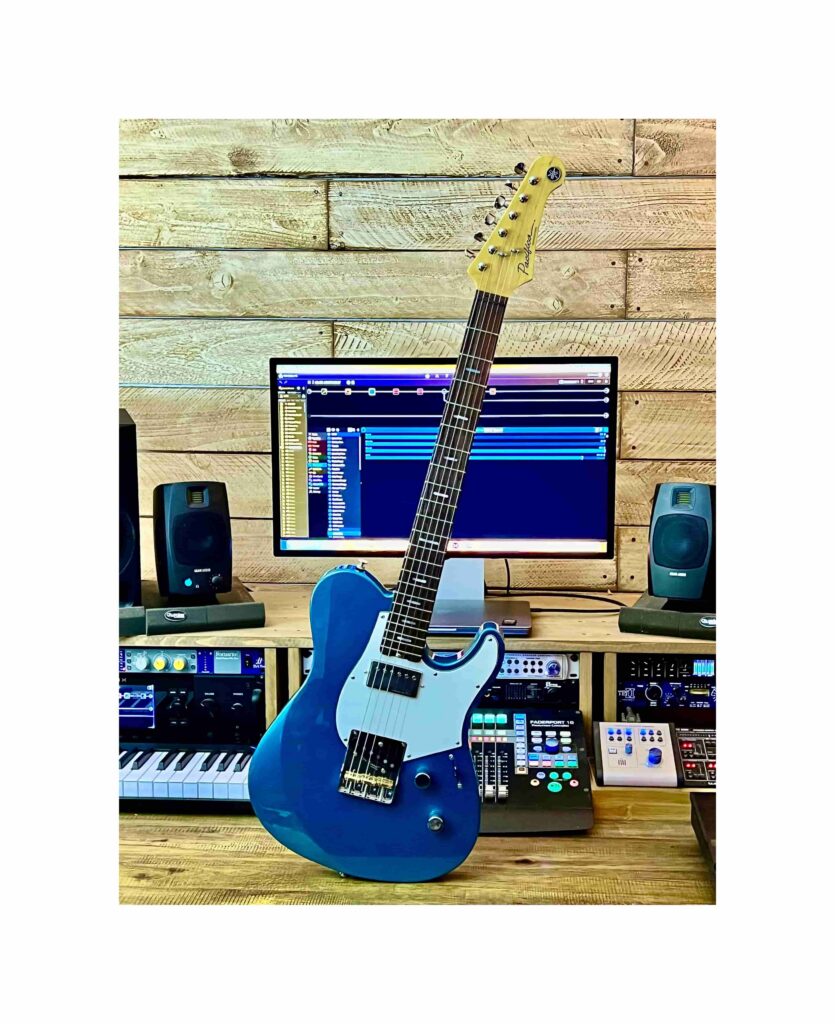
The Reflectone pickups in Pacifica Professional guitars are clean, clear and expressive — perfect for chordal shimmers using the Gotoh tremolo bridge.
I love this guitar for just about every situation. The body is beautifully balanced, the neck fast and smooth, and it covers a wide range of styles with aplomb.
The SA2200
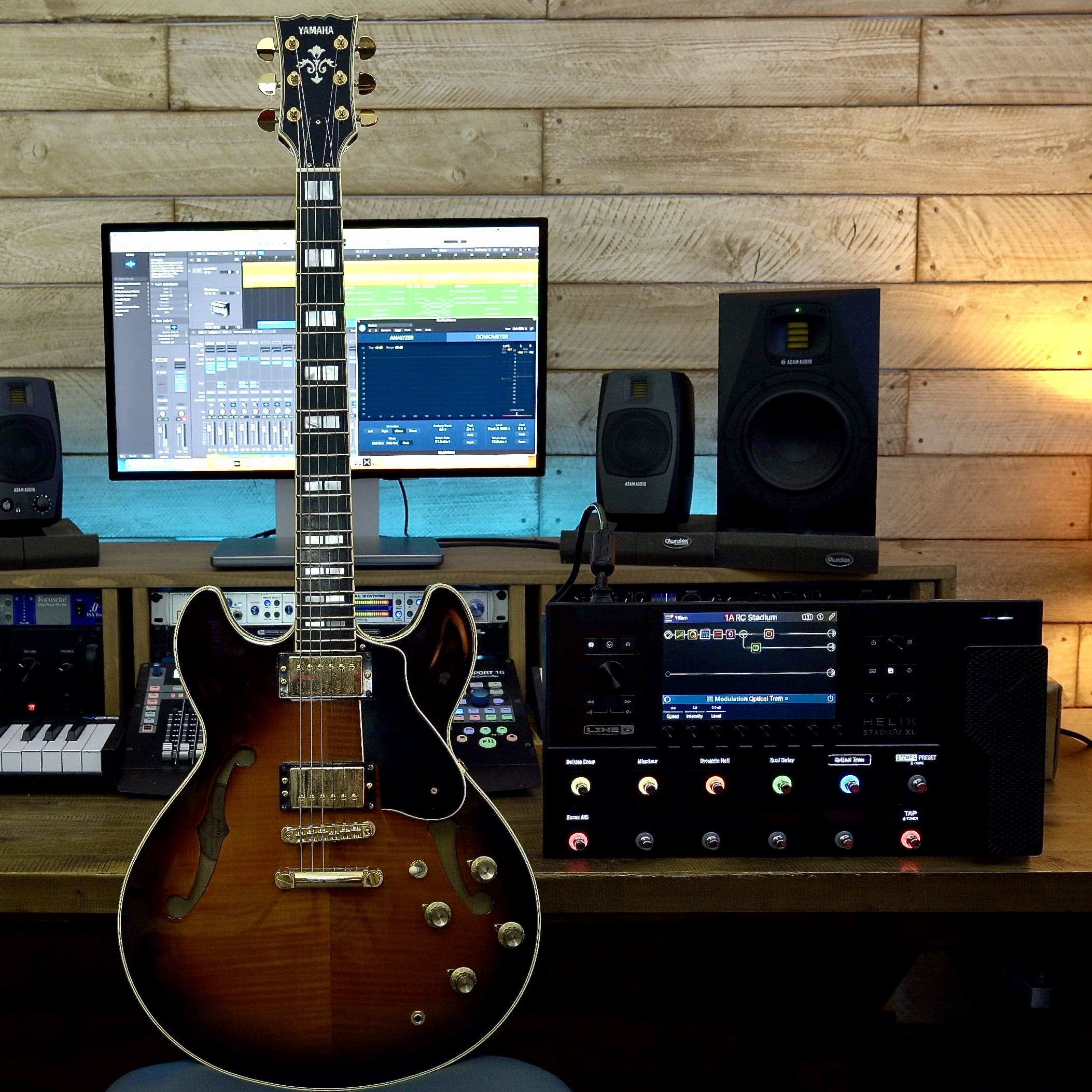
Semi-hollow-body guitars exude a unique warmth and earthy tone. The SA2200, with its laminated sycamore top, back and sides, definitely flavors the tone … in a good way. Combine those tasty tonewoods with coil-tappable humbucking pickups and you have the perfect guitar for blues, rock and jazz.
The Video
I paired the Yamaha Revstar RSS20, Pacifica Professional and SA2200 with the Line 6 Helix Stadium XL to create all the tones in this video.
I wanted the Revstar to take the lead role, main rhythm guitar part and first solo. The Pacifica Pro then comes in, adding a nice touch of sheen to the chordal arpeggios, and then the SA2200 takes over for the last two solos, double-stops and crescendo parts, adding its gorgeous, distinctive tone. I think you’ll agree that the blend of these three powerhouse guitars, along with the superb modeling provided by the Stadium XL, makes for an extraordinarily rich sound.
The Wrap-Up
In my view, we’ve reached a point where digital models of classic tube amps, speakers and effects sound just as good as the real thing … without your having to own every one of the hundreds of physical options.
Today’s advanced onboard and app-based editing allows you to put together almost any signal chain you can imagine, and re-routing can be done in seconds. The options for multiple rigs, setups and setlists on one device are almost endless.
What’s more, complete digital guitar rigs are easy to transport, lightweight and can go anywhere we go, without the need for cartage, roadies and a chiropractor! This means we can have all of our chosen guitar rigs at home, on the plane or in a hotel, backstage green room, recording studio or onstage. It’s a brave new world out there. What are you waiting for?
PHOTOGRAPHS COURTESY OF THE AUTHOR.
Keep reading